Blog

  • Professional AI Photo Prompt for Viral Edits (Easy Guide)

    Professional AI Photo Prompt for Viral Edits (Easy Guide)

    Introduction

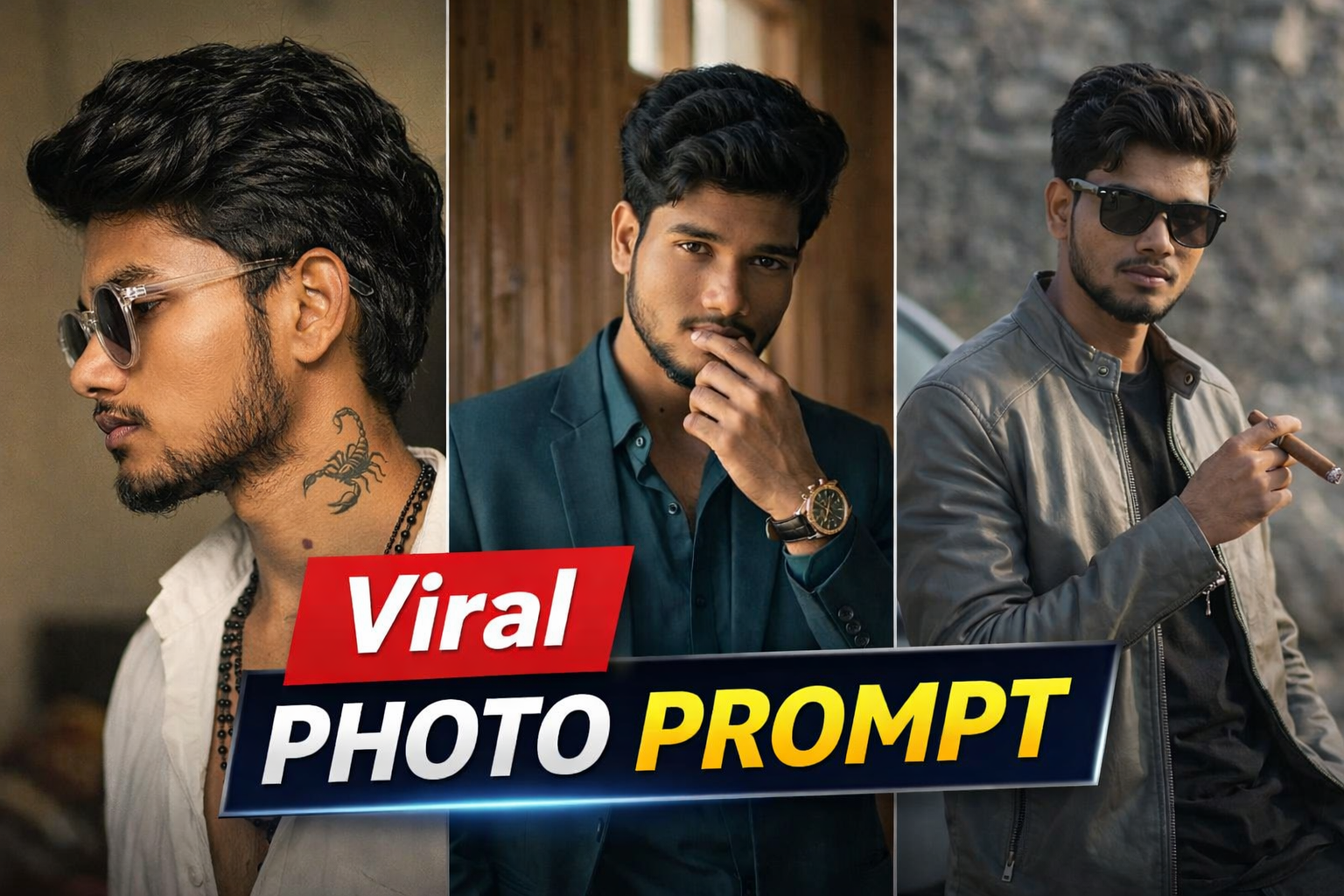
    AI photo editing is rapidly becoming one of the most popular trends among content creators. From Instagram reels to YouTube thumbnails, cinematic-style photos are getting massive attention.In this post, you will get a powerful viral photo prompt that helps you transform your normal image into a professional cinematic look using AI tools.

    How to Use This Prompt

    Follow these simple steps:

    Open your AI image generator (like any prompt-based tool

    Upload your photo

    Copy and paste the prompt given below Generate the image

    Download the final cinematic result

    How This Prompt Works

    This prompt is designed to enhance lighting, depth, and facial details while maintaining your natural look.It adds cinematic color grading, sharp focus, and a professional background to make your image look visually appealing and viral-ready

    PROMPT

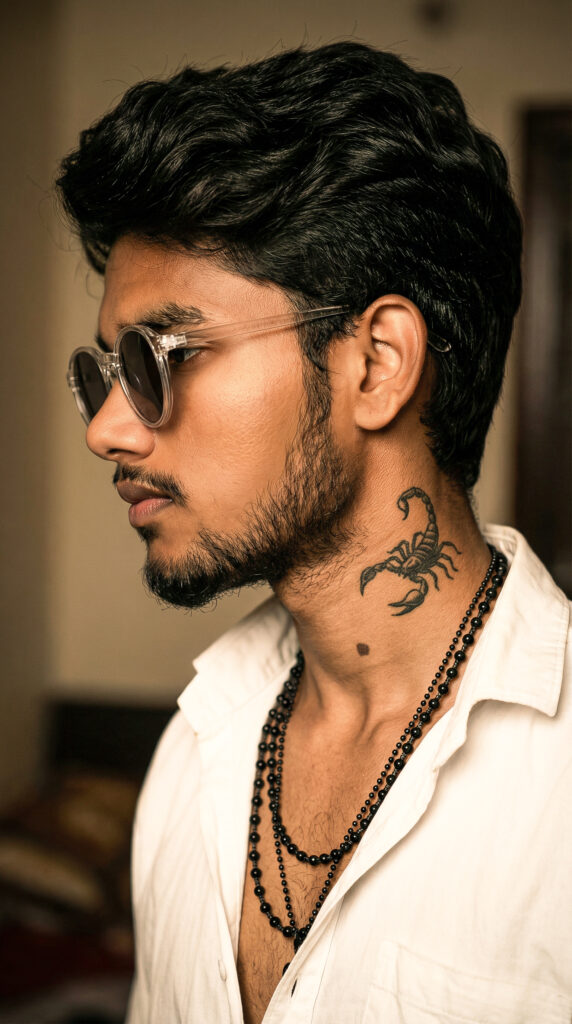
    Ultra realistic close-up side profile portrait of a person with natural beard growth matching their actual face (no extra density, realistic patchiness as per real beard), thick wavy hair, wearing round transparent sunglasses and a slightly open white shirt, layered black bead chains, visible scorpion tattoo on neck, sharp facial features, cinematic warm lighting, high contrast shadows, ultra detailed skin texture, shallow depth of field, soft blurred indoor background, 85mm lens, Sony A1 quality, ultra HD, natural tones, 100% face match

    PROMPT

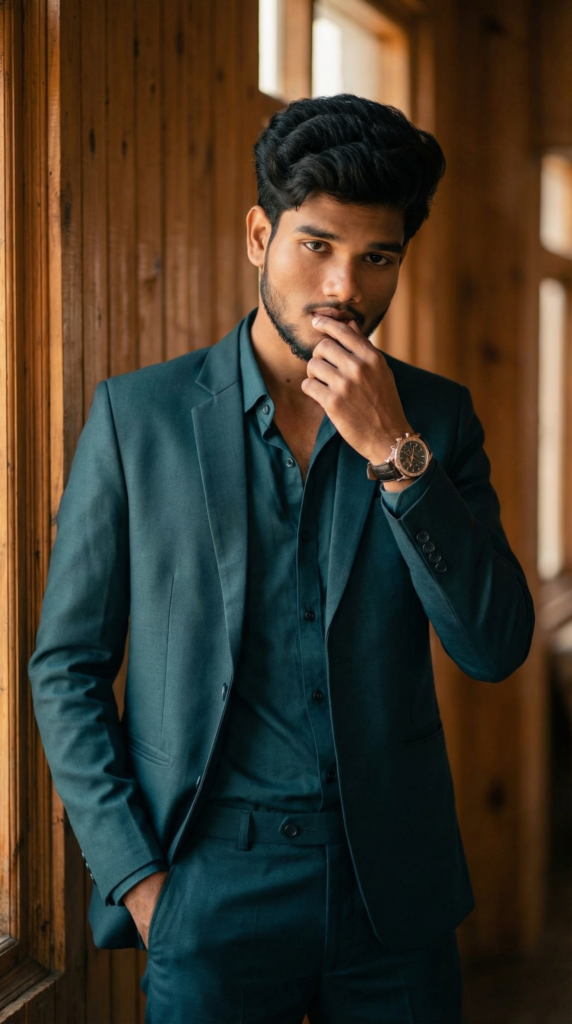
    Ultra realistic portrait of a stylish person standing indoors near a wooden wall, wearing a dark teal suit with a matching shirt, open collar, one hand in pocket and other touching lips, confident and calm expression, sharp jawline, well-groomed beard, voluminous hairstyle, luxury wristwatch, warm cinematic lighting, soft shadows, shallow depth of field, 85mm lens, Sony A1 quality, ultra HD, natural skin tones, 100% face match

    PROMPT

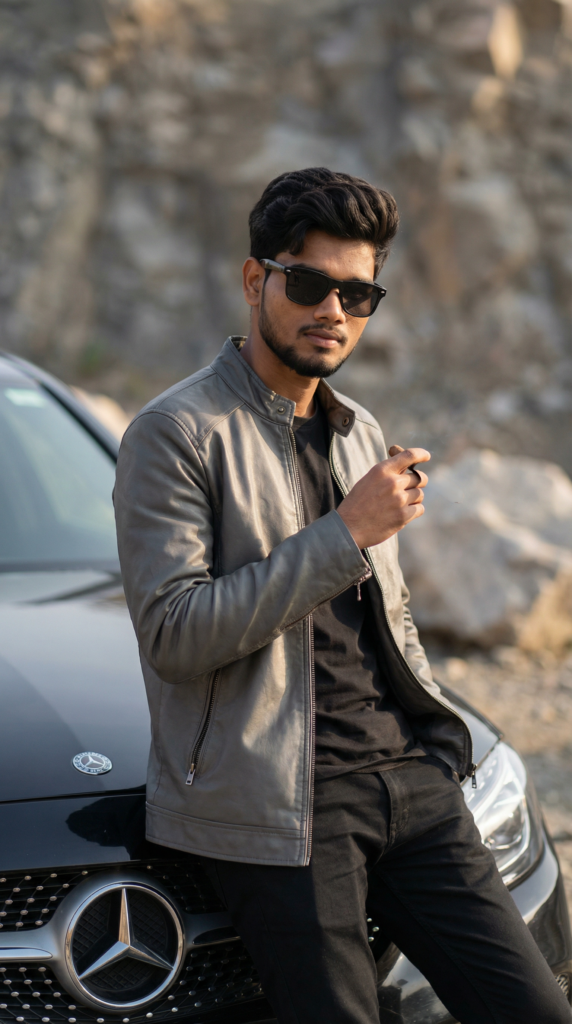
    Ultra realistic portrait of a stylish person leaning against a luxury black car, wearing a grey leather jacket over a black t-shirt, black pants, and dark sunglasses, holding a cigar in one hand, confident attitude, sharp jawline, trimmed beard, clean hairstyle, cinematic lighting, shallow depth of field, outdoor rocky background, high detail skin texture, 85mm lens, Sony A1 quality, natural colors, soft shadows, ultra HD, 100% face match

    Tools You Can Use

    AI image generator tools

    Prompt-based editing platforms

    Basic photo editing apps (optional for final touch)

    Editing Process (Step-by-Step)

    Step 1: Upload your original photo

    Step 2: Paste the prompt

    Step 3: Generate AI image

    Step 4: Adjust lighting or effects (if needed)

    Step 5: Download final image

    Best Use Cases

    Instagram posts & reels covers

    YouTube thumbnails

    Profile pictures

    Portfolio photos

    Personal branding

    Why This Prompt Is Trending

    Cinematic AI photos look more professional and attractive compared to normal images.They help creators stand out on social media and increase engagement easily.

    Conclusion

    Using the right AI prompt, you can easily convert your normal photos into high-quality cinematic images.This viral photo prompt will help you create stunning visuals without needing advanced editing skills.

  • Viral Ajnabi Hawayein Girl Walking AI Video Edit Tutorial (Step-by-Step Guide)

    Viral Ajnabi Hawayein Girl Walking AI Video Edit Tutorial (Step-by-Step Guide)

    AI video editing is becoming one of the fastest-growing trends on social media platforms like Instagram, YouTube, and TikTok. Creators are now making cinematic reel edits using simple AI tools without needing advanced editing skills.In this guide, you will learn how to create a viral “Ajnabi Hawaein Girl Walking” style AI video edit with smooth cinematic effects and professional quality.

    How to Use This Method

    Follow these steps to create your viral edit:

    Open your preferred AI video or image generation tool

    Upload your photo or generate an AI image

    Apply cinematic lighting and mood effects Add rain, lightning, or dramatic atmosphere (optional)

    Import the result into a video editor

    Add music (Ajnabi Hawayein style) and transitions

    Export your final video

    How This Works

    AI tools analyze your input and generate cinematic visuals with enhanced lighting, depth, and mood.By combining AI-generated visuals with basic video editing, you can achieve a professional reel-style output that looks visually appealing and engaging.

    IMAGE PROMPT

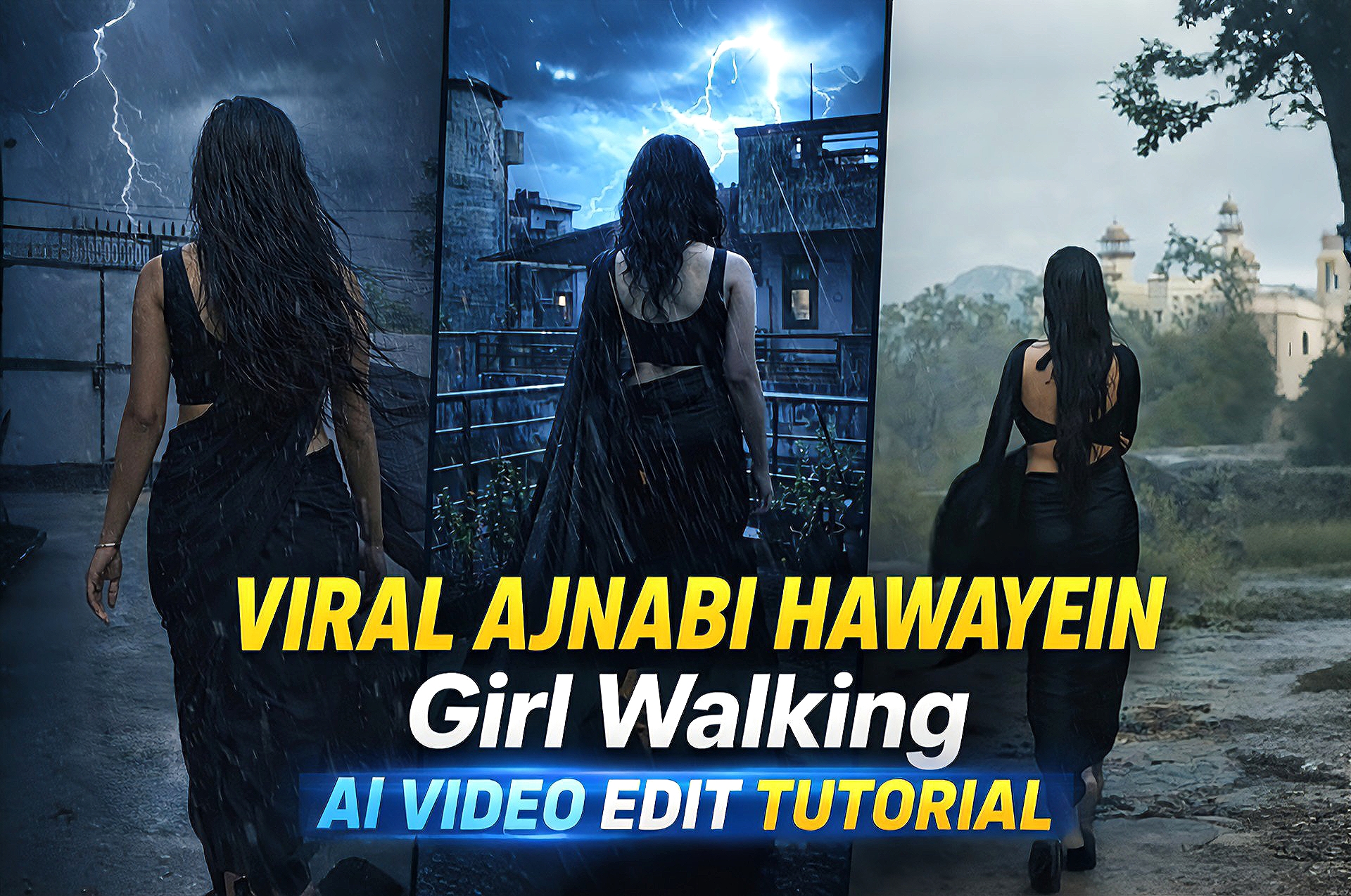
    Change her dress into black saree sleeveless blouse open hair with dark rainy weather thounderstorm slow rain wind her saree,s fall flow in wind use upload photo type same body structure

    VIDEO PROMPT

    Create a cinematic slow-motion video of the girl walking forward. Add light rain and soft wind. Her hair and black saree should flow naturally in the wind. Include dark cloudy sky and occasional lightning in the background. Keep realistic motion, smooth animation, and dramatic lighting.

    Tools Used In This Edit

    AI image/video generator (for base visuals)

    Enhancement tools (for better quality)

    Video editor (for final editing, transitions, and effects)

    Editing Process (Step-by-Step)

    Step 1: Generate or select your base image

    Step 2: Apply cinematic effects (lighting, color tone)

    Step 3: Add rain/lightning or environment effects

    Step 4: Import into video editing app

    Step 5: Add music and transitions

    Step 6: Export in high quality (HD/4K)

    Best Use Cases

    Instagram reels

    YouTube shorts

    Cinematic edits

    Viral content creation

    Portfolio show case

    Why This Edit Is Trending

    Cinematic AI edits are trending because they combine storytelling with visual effects.The emotional vibe, smooth transitions, and dramatic lighting make these edits highly engaging and shareable.

    Conclusion

    Creating a viral “Ajnabi Hawayein Girl Walking” AI video edit is now easy with the help of AI tools and basic editing techniques.With the right approach, you can create professional and viral content in just a few steps.

  • Blur Photo To 4K Ultra HD AI Prompt (Just One Click)

    Blur Photo To 4K Ultra HD AI Prompt (Just One Click)

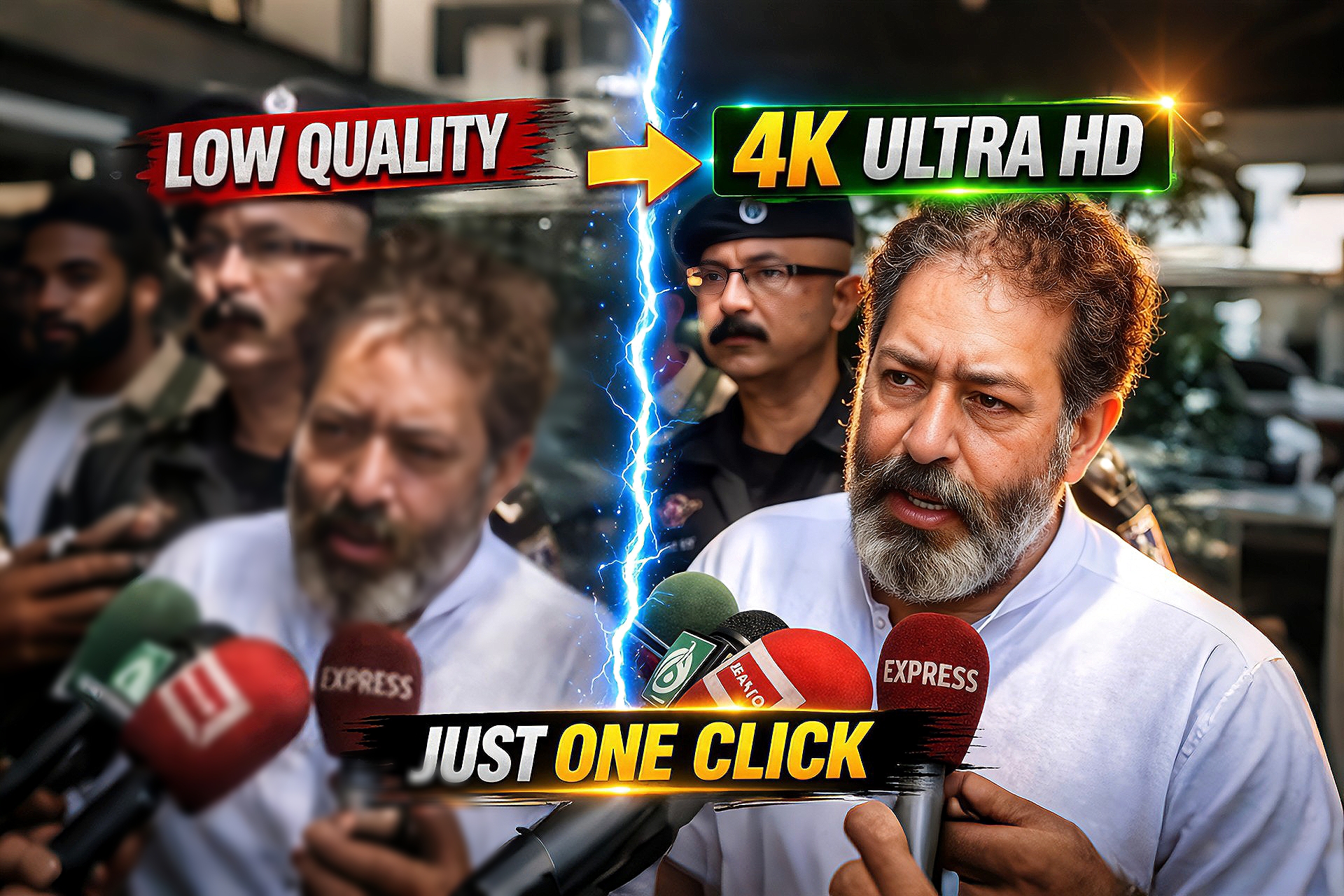
    Improving image quality has become very important for creators, especially for thumbnails, social media posts, and websites. Many times, we only have low-quality or blurry images, which reduces the overall visual appeal.In this guide, you will learn how to easily convert low-quality images into sharp and clear 4K Ultra HD using AI tools.

    How to Use This Method

    Follow these simple steps to enhance your image:

    Open any AI image upscaling tool

    Upload your low-quality image

    Select HD or 4K enhancement optionEnable AI enhancement features

    Click process and wait for the result

    Download your improved image

    How This Works

    AI upscaling tools use advanced machine learning to analyze image pixels and recreate missing details.This process improves sharpness, removes blur, and increases resolution without damaging the original look.

    Tools Used In This Process

    This method works with multiple AI tools:

    AI Image Upscaler tools (online platforms)

    Enhancement-based apps for better clarity

    Basic editing tools (optional for final touch)

    PROMPT

    Enhance the portrait while strictly preserving the subject's identity with accurate facial geometry. Do not change their expression or face shape. Only allow subtle feature cleanup without altering who they are.Keep the exact same background from the reference image. No replacements, no changes, no new objects, no layout shifts. The environment must look identical. The image must be recreated as if it was shot on a Sony A1, using an 85mm f1.4lens, at f1.6, ISO 100, 1/200 shutter speed, cinematic shallow depth of field, perfect facial focus, and an editorial-neutral color profile. This Sony A1+ 85mm f1.4 setup is mandatory. The final image must clearly look like premium full-frame Sony Al quality. Lighting must match the exact direction, angle, and mood of the reference photo. Upgrade the lighting into a cinematic, subject-focused style: soft directional light, warm highlights, cool shadows, deeper contrast, expanded dynamic range, micro-contrast boost, smooth gradations, and zero harsh shadows.Maintain neutral premium color tone, cinematic contrast curve, natural saturation, real skin texture (not plastic), and subtle film grain. No fake glow, no runway lighting, no over smoothing.Render in 4K resolution, 10-bit color, cinematic editorial style, premium clarity, portrait crop, and keep theoriginal environmental vibe untouched. Re-render the subject with improved realism, depth, texture, and lighting while keeping identity and background fully preserved.NEGATIVE INSTRUCTIONS:No new background.No background change.No overly dramatic lighting.

    Editing Process (Step-by-Step)

    Step 1: Upload your image into the AI tool

    Step 2: Select 4K or high-resolution option

    Step 3: Apply enhancement settings

    Step 4: Process the image

    Step 5: Download the final HD/4K result

    Best Use Cases

    YouTube thumbnails

    Instagram posts and reels covers

    Website images

    Old photo restoratio

    E-commerce product images

    Why This Method Is Trending

    AI-based editing is growing rapidly because it saves time and delivers professional results without requiring advanced skills.Even beginners can now create high-quality visuals easily.

    Conclusion

    Converting low-quality images to 4K Ultra HD is now simple with AI tools.By following a few easy steps, you can enhance your images and make your content more professional and engaging.

  • Viral Anime Reel Edit AI  (Cinematic Style)

    Viral Anime Reel Edit AI (Cinematic Style)

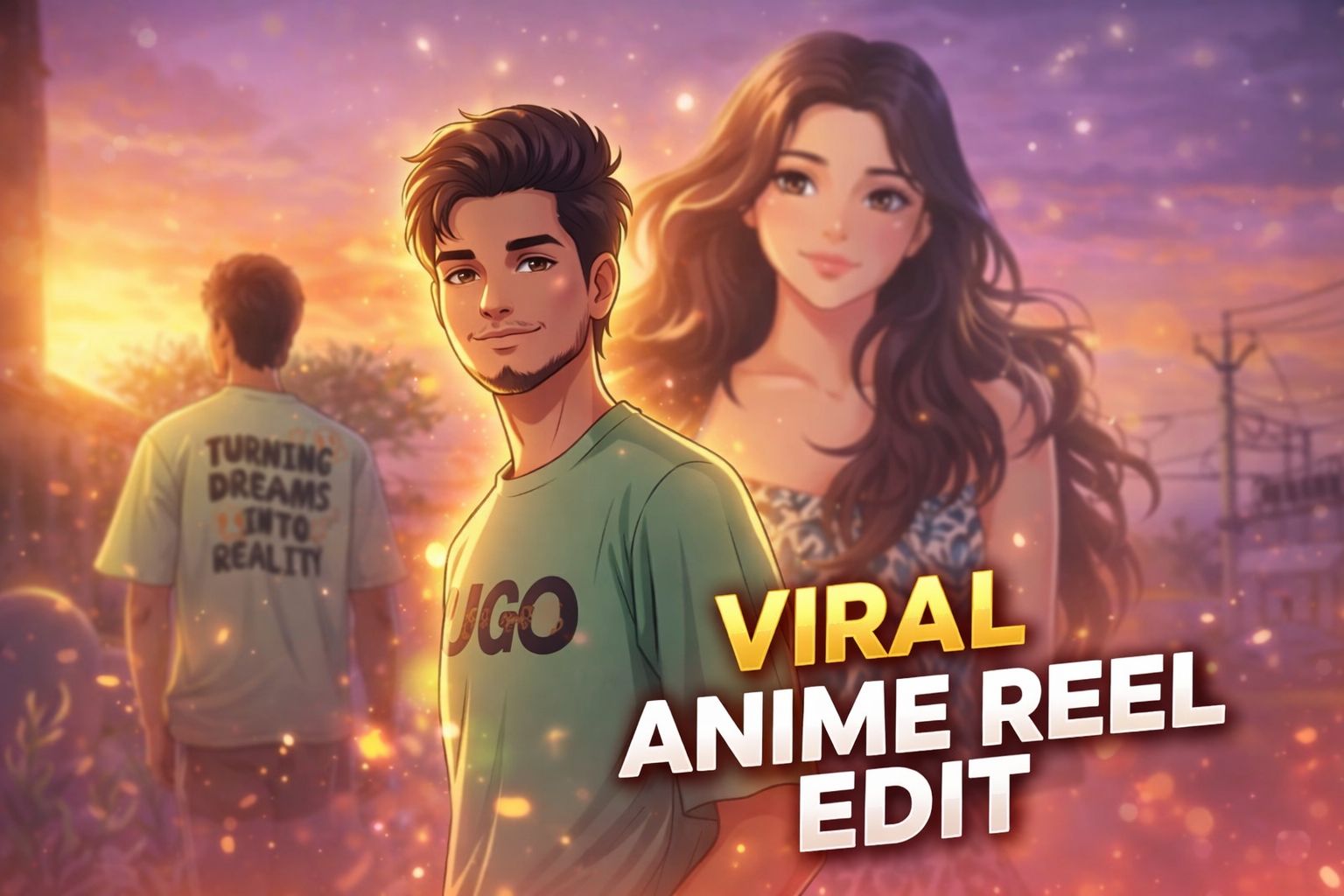
    nime style photo editing is currently one of the most viral trends on social media platforms like Instagram, YouTube, and TikTok. Creators are transforming their normal photos into cinematic anime-style visuals that look aesthetic, emotional, and highly engaging.

    These anime edits often include soft lighting, glowing particles, dreamy backgrounds, and smooth skin tones that give a unique animated feel. Because of this, anime-style edits are getting massive attention and going viral quickly.

    In this post, we are sharing a viral anime reel edit AI prompt that helps you convert your normal photo into a cinematic anime-style image with glowing effects and a beautiful background.

    Why This Anime AI Prompt Is Trending

    Anime edits are trending because they combine real-life photos with animated cinematic effects. This creates a unique visual experience that stands out on social media.

    Many creators use anime-style edits in reels and shorts because they attract more views and engagement. The soft glow, romantic lighting, and emotional vibe make these edits perfect for storytelling content.

    With AI tools, creating anime-style edits has become very easy. You don’t need advanced editing skills — just use a well-written prompt and get professional results instantly.

    IMAGE PROMPT

    Transform the provided portrait photo into a soft cinematic digital illustration in anime style. Keep the same face, same hairstyle, same expression, and same pose. Style inspired by modern anime portrait illustration with smooth line art, soft cel shading, and warm cinematic lighting. Add a glowing orange and purple atmosphere. Include subtle floating particles and soft lens flares around the subject. Add small glowing fish swimming in the foreground with slightly blurred aquatic plants. Skin should be rendered in smooth anime shading with expressive eyes, clean linework, and stylized yet realistic proportions. Lighting should include warm golden light from one side and soft purple ambient light from the background, creating a dreamy atmosphere. Ultra-detailed digital painting with clean gradients, soft glow effects, cinematic color grading, and depth of field. Keep the exact framing of the original photo (chest-up portrait) with a soft blurred background. High detail, ultra-clean digital art.

    VIDEO PROMPT

    Animate this anime-style portrait with subtle cinematic motion. The character remains still while the environment gently moves. Small glowing particles slowly float in the air around the character. Soft cinematic light flares move across the frame. Tiny glowing fish in the foreground slowly swim from left to right and slightly up and down. Aquatic plants gently sway as if underwater. Very soft wind slightly moves the character's hair. Lighting softly flickers, creating dreamy reflections on the face. The camera performs a very slow cinematic push-in toward the character. Atmosphere is magical, dreamy, and calm. Ultra-smooth motion, natural animation, anime film style. No distortion, no face change—keep the character exactly the same.

    Tools Used In This Edit

    This anime-style edit was created using a combination of AI tools and manual editing techniques.

    • Gemini AI – Used to generate the base AI image using advanced prompts

    • Flow Labs – Helped refine and enhance the AI output

    • CapCut – Used for final adjustments like color grading, glow effects, and cinematic finishingBy combining these tools, you can achieve a professional anime-style result without using complex software like Photoshop.

    Editing Process (Step-by-Step)

    Step 1: Generate the base image using Gemini AI with a detailed prompt

    Step 2: Refine the output using Flow Labs for better quality and details

    Step 3: Import the image into CapCut

    Step 4: Add glow effects, lighting, and color grading

    Step 5: Export the final cinematic anime edit

    Best Use Cases

    • Instagram reels cover photos

    • YouTube shorts thumbnails

    • Profile pictures• Romantic edits

    • Viral social media content

    Conclusion

    Anime-style AI photo editing is a powerful way to create visually stunning and viral content. With the help of this prompt, you can easily transform your normal photo into a cinematic anime scene with glowing effects and a dreamy atmosphere.

    If you love creating AI edits, explore more trending prompts on our website and take your editing skills to the next level.

  • Eid Special AI Photo Editing (Cinematic Glow Effect)

    Eid Special AI Photo Editing (Cinematic Glow Effect)

    Eid is a special occasion filled with joy, celebrations, and beautiful memories. During this festive time, people love to capture and share aesthetic photos on social media. To make these photos more attractive, cinematic lighting and glowing effects are widely used by creators.

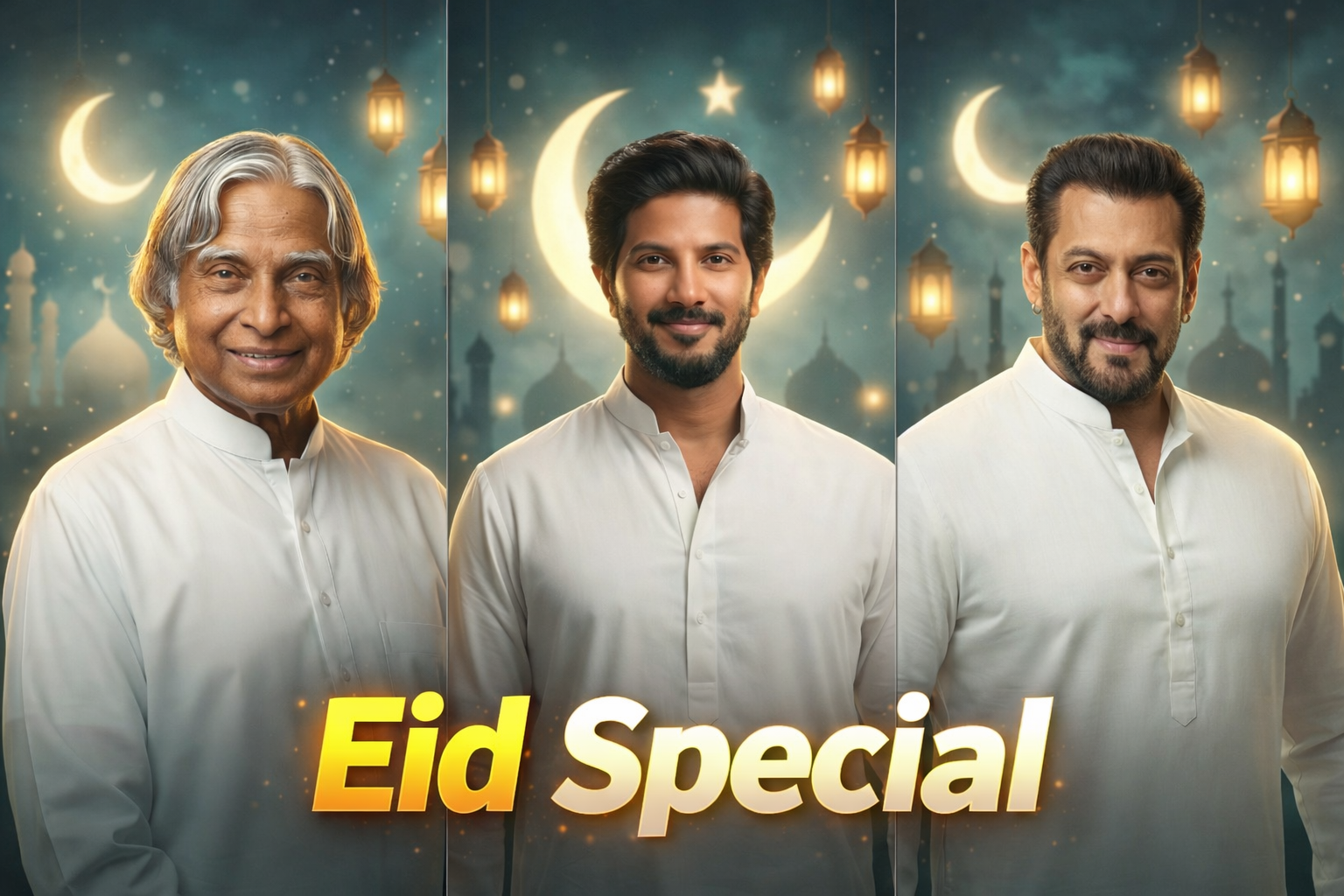
    With the help of AI photo editing prompts, you can now easily transform a normal photo into a stunning Eid-themed portrait. These prompts add soft glow, warm lighting, crescent moon effects, and a dreamy atmosphere that perfectly matches the festive vibe.

    In this post, we are sharing a powerful Eid Special AI photo editing prompt that can convert your normal photo into a cinematic glowing portrait with a beautiful Islamic background.

    Why This AI Prompt Is Trending

    Eid-themed photo editing is trending because people want their photos to match the festive mood. Social media platforms like Instagram and YouTube are filled with cinematic Eid portraits featuring moonlight, lanterns, and soft glowing effects.

    AI tools make it very easy to create these effects without using complex editing apps. With just one prompt, you can generate a professional-looking Eid portrait in seconds.

    This prompt is specially designed to create a soft glowing effect, warm lighting, and a peaceful night background that enhances the overall beauty of the image.

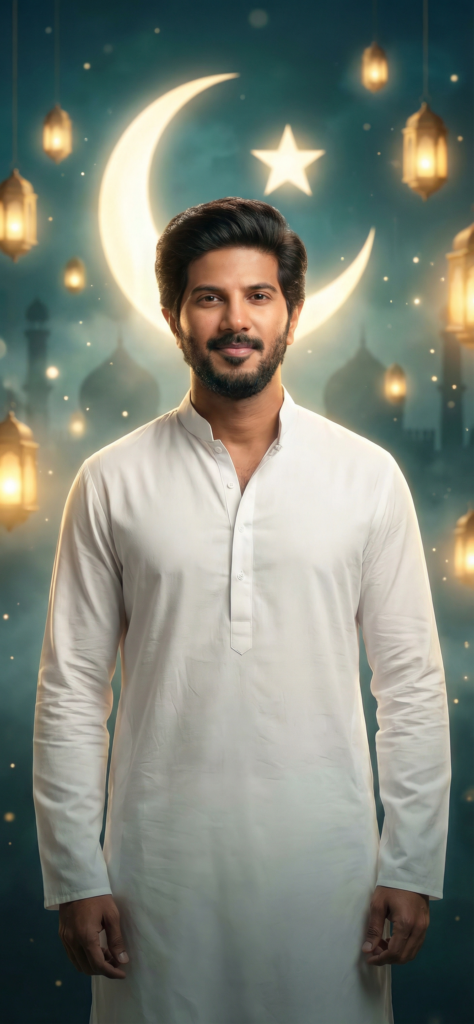
    Ultra-realistic cinematic Eid portrait of a person using the uploaded image as identity reference with 100% face match, no facial alteration, strict identity lock. The person is wearing a clean elegant white kurta, standing confidently in the foreground with a calm, soft smile.

    Background features a dreamy surreal Eid atmosphere with a glowing crescent moon in the sky, subtle mosque silhouettes, soft lantern lights (fanoos) floating, and gentle particles in the air. The environment has a magical, slightly foggy depth with rich cinematic composition.

    Apply high-end movie poster style color grading with teal and warm golden tones, soft highlights, deep shadows, and a surreal glow effect. Add rim lighting around the subject for separation, with soft bloom and light rays creating a premium poster look.

    Maintain realistic skin texture with visible pores, natural soft glow on face, no over-smoothing. Use shallow depth of field with creamy bokeh background, sharp focus on the subject.

    Epic cinematic framing, dramatic lighting, ultra-detailed, photorealistic, surreal atmosphere, 8K quality, no pose change, no extra elements affecting identity, premium Eid poster aesthetic.

    How To Use This Prompt

    Step 1: Copy the AI prompt from this post

    Step 2: Open any AI image editing tool (ChatGPT, Leonardo, etc.)

    Step 3: Upload your photo

    Step 4: Paste the prompt

    Step 5: Generate and download your Eid special image

    Best Use Cases

    • Eid social media posts

    • Instagram profile photos

    • WhatsApp DP

    • Festive greetings images

    • YouTube thumbnails

    Conclusion

    Eid special AI photo editing prompts help you create beautiful and eye-catching images without any professional skills. With the help of this prompt, you can easily convert your normal photo into a cinematic glowing Eid portrait.

    If you enjoy AI editing prompts, make sure to explore more creative prompts on our website for different styles and effects.

  • AI Vector Art

    AI Vector Art

    AI vector art editing is becoming one of the most popular trends in digital design and social media graphics. Many creators and editors are using AI tools to transform normal photos into stylish vector illustrations that look clean, modern, and professional.

    Vector art style images are widely used for profile pictures, posters, thumbnails, and branding designs. The sharp lines, smooth shading, and bold contrast make these images visually appealing and highly shareable on social media platforms.

    In this post, we are sharing a powerful AI Vector Art editing prompt that can convert your normal photo into a high-quality vector style illustration. This prompt keeps the face details natural while applying a dramatic vector shading effect that looks similar to professional graphic artwork.

    Why This AI Vector Art Prompt Is Trending

    The popularity of vector style portraits has grown rapidly because they provide a clean and artistic look compared to normal photos. Many YouTube creators, designers, and social media influencers use vector portraits for their thumbnails and profile pictures.

    With the help of AI tools, creating vector art has become much easier. Instead of using complicated software like Illustrator or Photoshop, you can now generate vector-style portraits using simple AI prompts.

    This prompt is designed to produce a bold graphic look with high contrast, smooth shading, and stylish outlines. The result looks similar to professional vector illustrations used in modern digital designs.

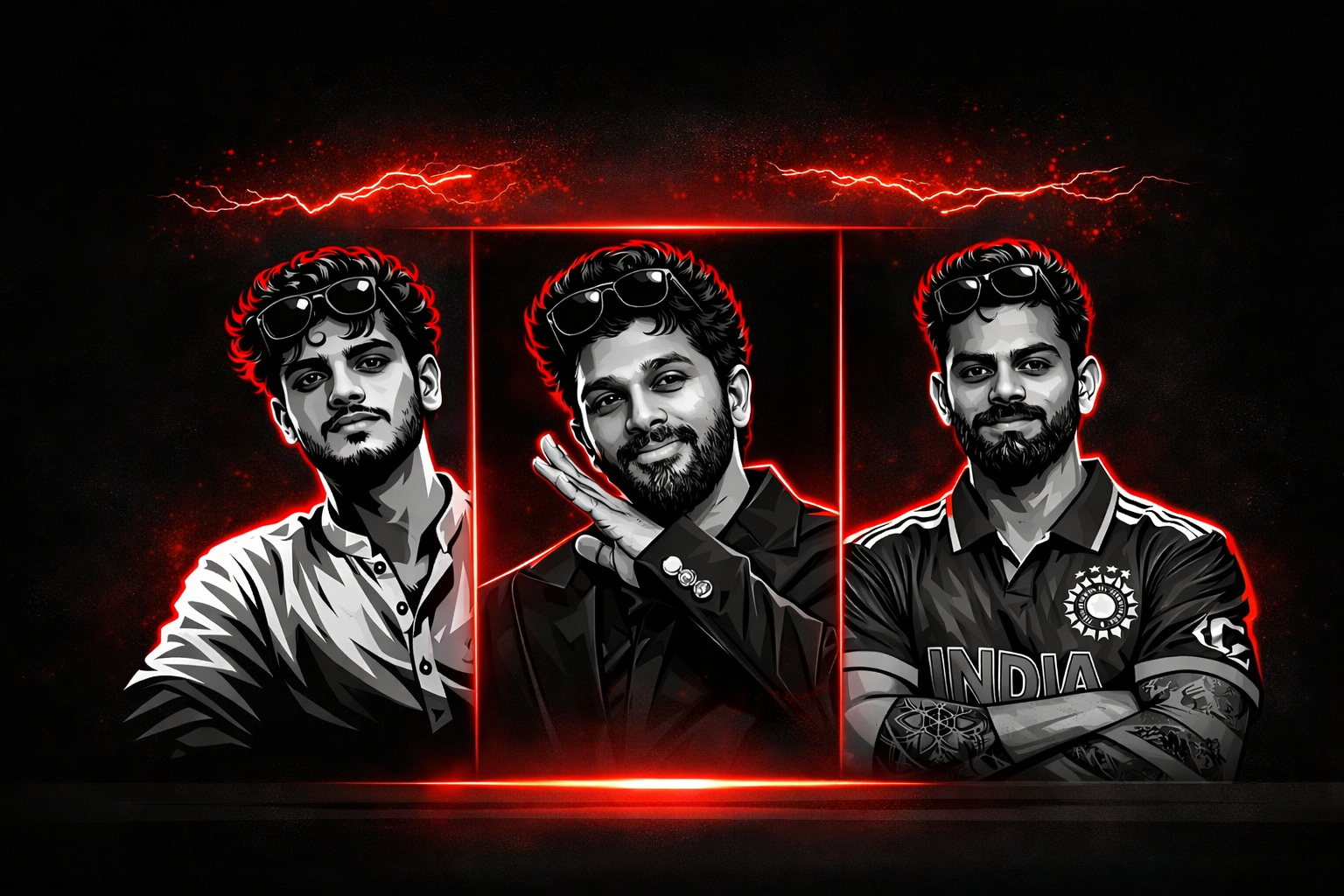
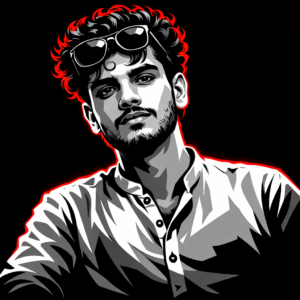
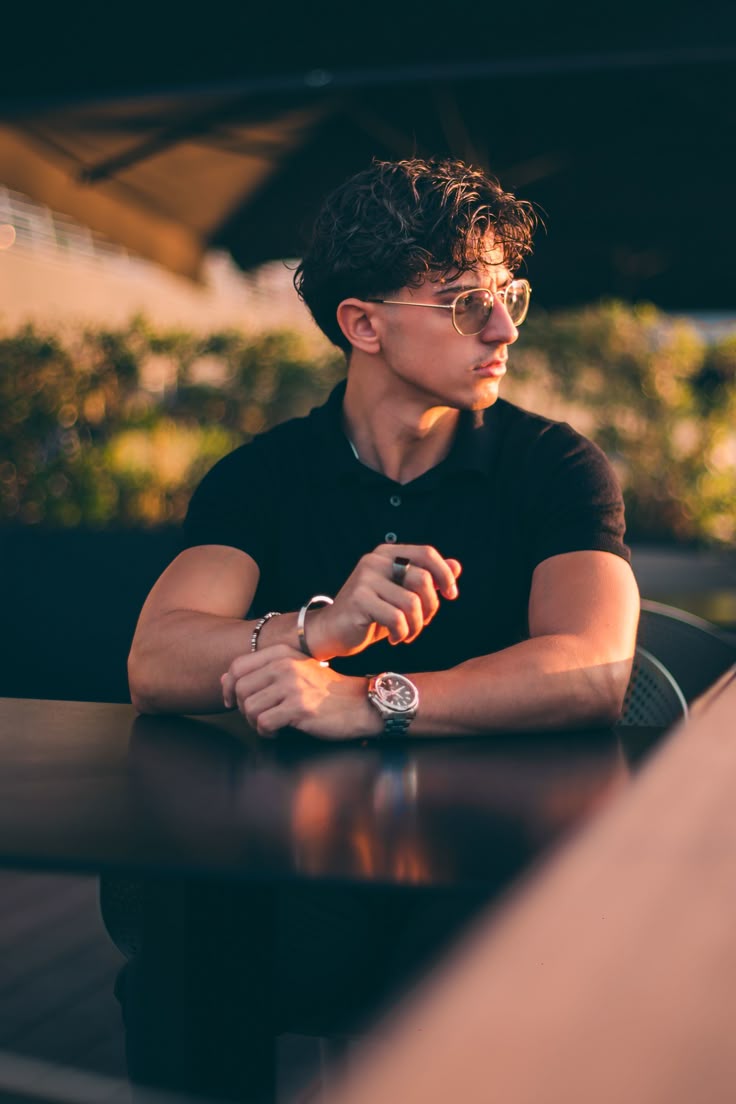
    A high-contrast vector illustration of a young person with curly hair and sunglasses perched on his forehead. The art style uses a grayscale palette for the face and clothing, featuring sharp cell shading and deep black shadows. Intense neon red rim lighting outlines his silhouette and hair against a solid black background. Minimalist, modern, and edgy graphic design style.

    How To Use This Prompt

    Step 1: Copy the AI prompt from this post.

    Step 2: Open your preferred AI image editing tool.

    Step 3: Upload your original photo.

    Step 4: Paste the prompt and generate the image.

    Step 5: Download the final vector style result.

    Best Use Cases

    • Social media profile pictures

    • YouTube thumbnails

    • Poster style portraits

    • Digital artwork

    • Personal branding images

    Conclusion

    AI vector art prompts make it very easy to convert normal photos into stylish graphic illustrations. With the help of this prompt, you can create a bold and professional vector portrait without using complex editing software.

    If you enjoy AI photo editing prompts, you can explore more creative prompts and editing ideas on our website where we regularly share new AI editing techniques.

  • Night Flash Light Glow AI Photo Editing Prompt (Viral Selfie Style)

    Night Flash Light Glow AI Photo Editing Prompt (Viral Selfie Style)

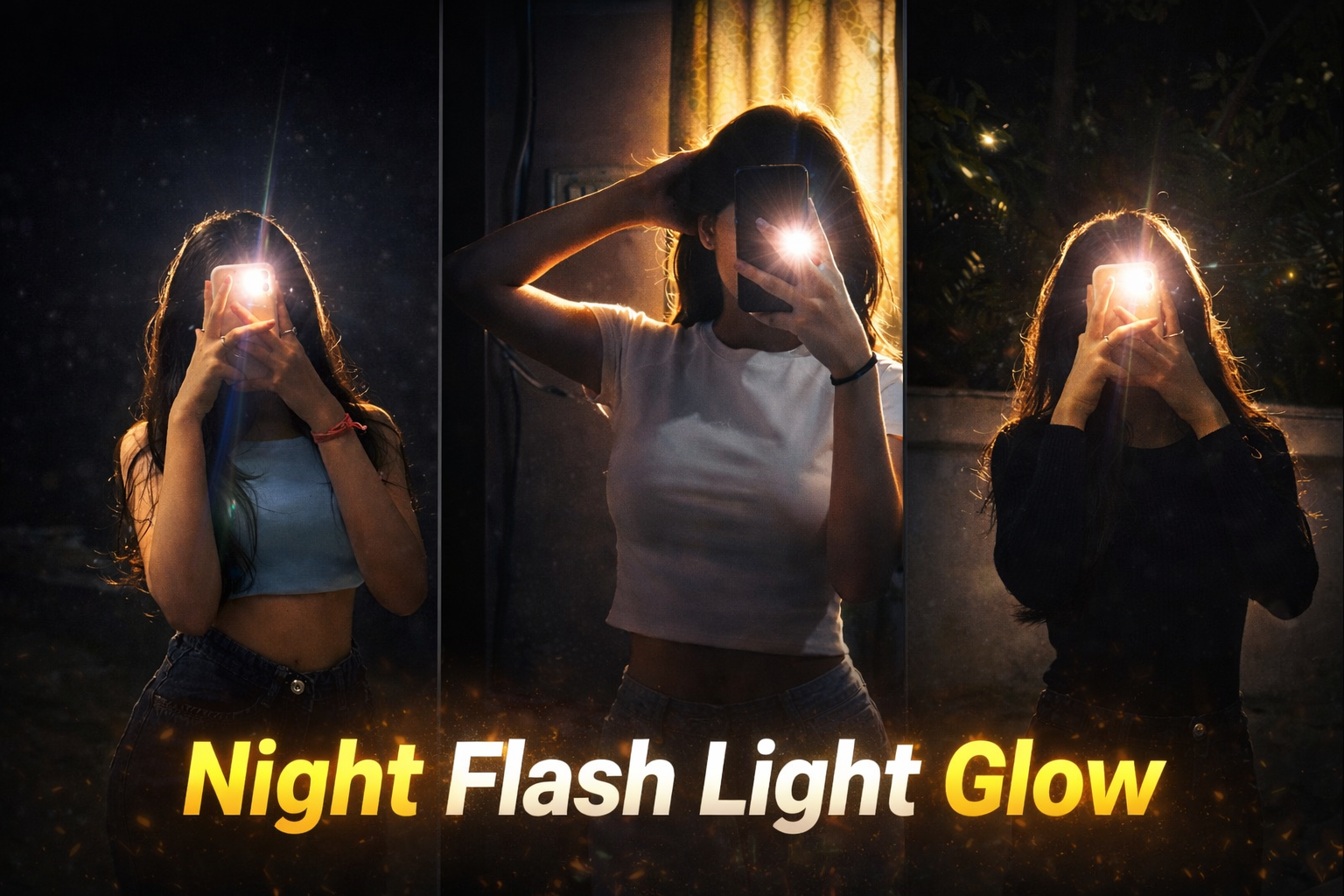
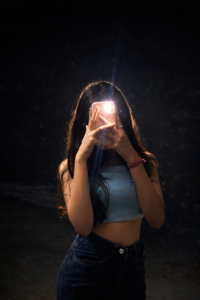
    Night flash photography is becoming one of the most popular styles on social media. This effect creates a strong glowing light around the subject while keeping the background dark and cinematic. Many creators use this style to give their photos a dramatic and aesthetic look that instantly grabs attention.

    With the help of AI photo editing prompts, it has become very easy to recreate this viral night flash glow effect. The AI analyzes lighting, shadows, and highlights to generate a powerful flash glow that looks professional and cinematic.

    In this post, we are sharing a viral Night Flash Light Glow AI prompt that can transform normal photos into stunning glowing portraits. This prompt keeps the original composition natural while adding strong flash highlights, glow effects, and a cinematic atmosphere.

    Apply a bold night-flash aesthetic to the uploaded photo while fully preserving every original detail of the...and shoulders. Render skin with luminous translucency and gentle peachy tones. Enhance stray hair strands backlit by sunlight. Hard rule: Do not change the face and hairs of the subject. Do not change the composition and background.

    How This AI Prompt Works

    This AI prompt is designed to recreate a dramatic night flash lighting effect in photos. When the prompt is applied, the AI analyzes the subject, lighting direction, and background environment to generate a strong flash glow effect.

    The main purpose of this prompt is to simulate the look of a direct camera flash used in night photography. It creates bright highlights on the subject while keeping the background darker, which produces a cinematic and aesthetic portrait style.

    AI also enhances small visual details such as skin texture, hair edges, and light reflections. This helps the final image look more realistic and professional rather than overly edited.

    Because of this advanced image processing, creators can easily turn a normal photo into a viral night flash glow portrait without using complicated editing software.

    How To Use This Prompt

    Step 1: Copy the AI prompt from this post.

    Step 2: Open any AI image editing tool such as ChatGPT, Leonardo AI, or other AI generators.

    Step 3: Upload your original photo as the reference image.

    Step 4: Paste the prompt and generate the image.

    Step 5: Download the final cinematic night flash glow result.

    Best Use Cases

    • Instagram aesthetic photos

    • Viral social media posts

    • Profile pictures

    • Creative portrait photography

    • AI photo editing projects

    Conclusion

    Night flash glow photography is becoming one of the most popular styles on social media. With the help of AI prompts, anyone can recreate this cinematic flash lighting effect in just a few seconds.

    This prompt allows creators to transform ordinary photos into dramatic glowing portraits while maintaining natural details and composition.

    If you enjoy AI photo editing prompts, you can explore more creative prompts and editing ideas on our website.

  • Blur Photo to 8K High Quality AI Photo Editing

    Blur Photo to 8K High Quality AI Photo Editing

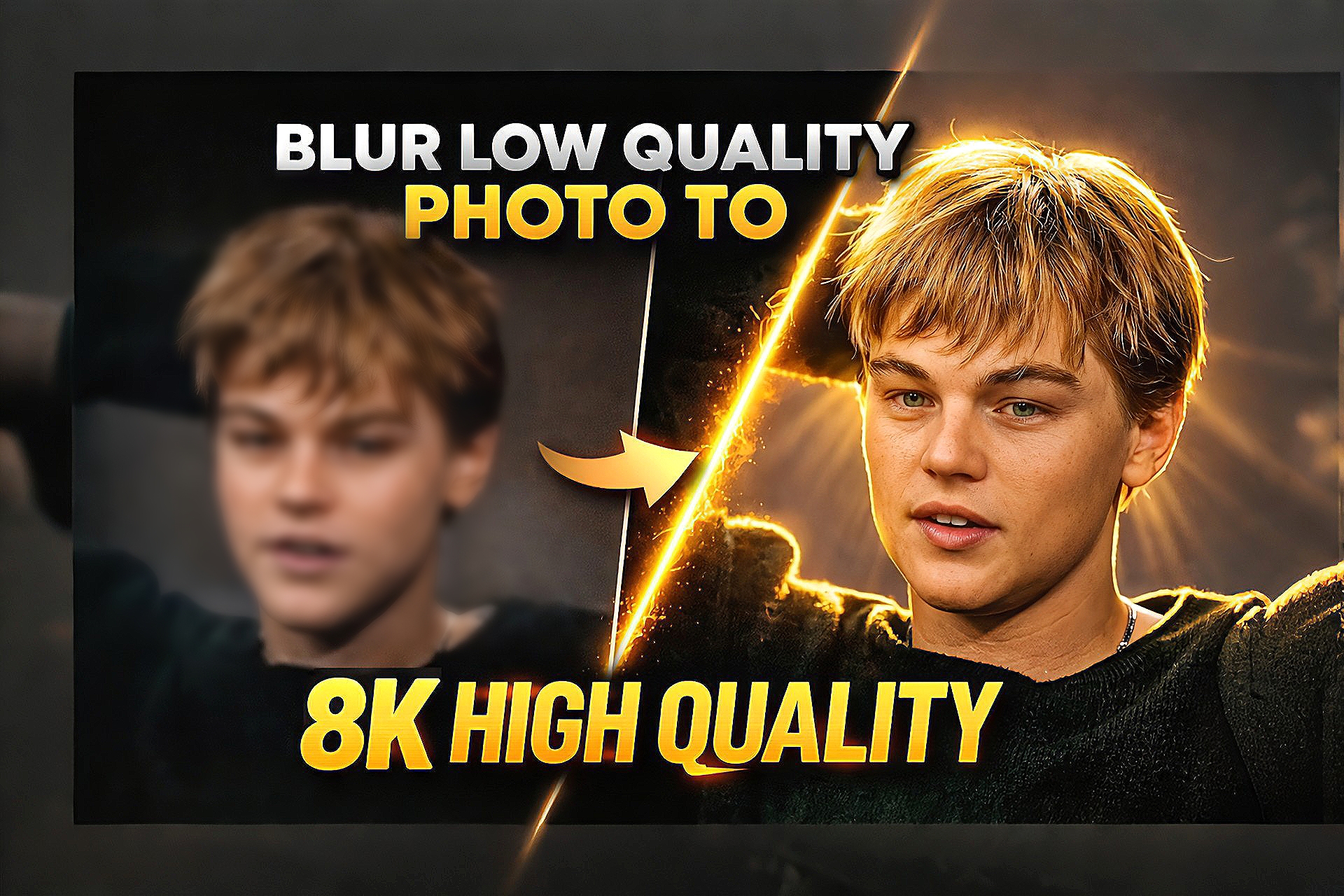
    AI photo enhancement tools are changing the way people improve their images. In the past, fixing a blurry or low-quality photo required advanced editing skills and professional software. Now, with the help of powerful AI prompts, it is possible to convert a blur or low-resolution photo into a clear and high-quality image within seconds.

    Many creators and photographers use AI image tools to enhance old photos, social media pictures, and low-resolution images. These tools analyze the details of the image and intelligently restore sharpness, lighting, and textures. As a result, the final image looks much clearer and more professional.

    In this post, we are sharing a powerful AI prompt that can transform a blurry photo into an 8K high-quality image. This prompt is designed to keep the original face and composition natural while improving sharpness, clarity, and overall visual quality.

    How This AI Prompt Works

    This AI prompt works by analyzing the structure of the image and reconstructing the missing details. It enhances edges, restores textures, and improves lighting so that the image appears sharper and more detailed.

    Instead of simply increasing resolution, the AI intelligently recreates fine details such as skin texture, hair strands, and natural lighting. This results in a realistic high-resolution image that looks natural rather than over-edited.

    Enhance the uploaded photo to ultra-high resolution while keeping the pose, framing, background, face, clothing, and composition exactly the same. Do not change the facial identity.

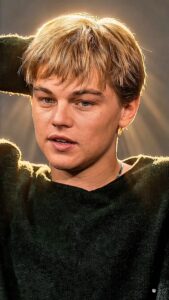
    Remove heavy shadows and apply warm golden cinematic lighting similar to golden hour sunlight. Add a strong soft backlight from the top or behind the subject, creating a warm glowing halo around the hair and shoulders.

    Illuminate the face with soft diffused front light so facial details remain clear and natural. Restore natural skin tones and fabric colors while improving brightness, contrast, and dynamic range.

    Add warm sunlight rays and subtle sunbeams from the background, creating glowing highlights on the hair, cheekbones, nose bridge, and lips.

    Inject a soft cinematic lens bloom and warm glow around the subject while keeping the background slightly darker for depth and contrast.

    Reduce blur, noise, and compression artifacts while regenerating fine details such as skin texture, hair strands, and clothing texture.

    Final result should look like a professional cinematic portrait with warm golden sunlight, soft backlight, DSLR quality, sharp focus, and high dynamic range.

    Hard rule: do not change the face, pose, or composition.

    How To Use This Prompt

    Step 1: Copy the AI prompt from this post.

    Step 2: Open any AI image generator such as ChatGPT image tool, Gemini or Leonardo AI.

    Step 3: Upload your original blurry photo as the reference image.

    Step 4: Paste the prompt and generate the enhanced image.

    Step 5: Download the final high-quality result.

    Best Use Cases

    Improving old photos

    • Fixing blurry social media pictures

    • Enhancing profile photos

    • Creating high-quality thumbnails

    • Restoring low-resolution images

    Conclusion

    AI photo enhancement prompts make it easy to transform low-quality images into clear and professional visuals. With the help of this prompt, you can quickly convert a blur photo into a detailed 8K-style image while keeping the original face and composition intact.

    If you enjoy AI photo editing and creative prompts, you can explore more AI editing ideas and prompts on our website where we regularly share new tools and techniques for improving images.

  • 3 Viral Royal Enfield AI Photo Editing Prompts

    3 Viral Royal Enfield AI Photo Editing Prompts

    AI photo editing prompts are becoming extremely popular among creators who want to create stylish and cinematic images without complex editing. With the help of modern AI tools, it is now possible to transform a simple photo into a professional looking visual in just a few seconds.

    One of the most trending styles right now is the Royal Enfield bike photo editing look. Images featuring classic motorcycles, confident poses and cinematic lighting often go viral on social media platforms like Instagram and YouTube. These types of photos attract a lot of attention because they combine powerful visuals with a stylish aesthetic.

    In this post, we are sharing 3 viral Royal Enfield AI photo editing prompts that can help you create similar cinematic bike portraits using AI tools. These prompts are designed to maintain the original face and pose while enhancing the lighting, mood and overall visual style of the image.

    Royal Enfield Cinematic Bike Portrait

    Use the uploaded image as the exact reference and recreate the scene identical with the same composition, pose, lighting and style. A stylish man sitting on a black classic motorcycle facing slightly left, wearing black sunglasses, a white open button-down shirt over a grey t-shirt, and black pants. One hand rests on the motorcycle handlebar while the other is placed on his hip. He has a neatly styled haircut with a short beard and moustache. The motorcycle headlight and mirrors are clearly visible in the foreground with a number plate on the front. Background is a clean minimal light wall creating a simple cinematic look. Natural soft daylight, realistic shadows, sharp details, shallow depth of field, ultra-realistic, photorealistic, 8K quality, no change to pose, lighting, angle, outfit or background.

    How To Use This AI Prompt

    Using these prompts is very simple and beginner friendly.

    Step 1: Copy the AI prompt from this post.

    Step 2: Open any AI image generator such as ChatGPT image tool, Gemini or Leonardo AI.

    Step 3: Upload your original photo as a reference image.

    Step 4: Paste the prompt and generate the image.

    Step 5: Download the final result and use it for social media.

    Why This Royal Enfield AI Prompt Is Trending

    Royal Enfield motorcycles are known for their classic and powerful design. Because of this, photos featuring Royal Enfield bikes often look more stylish and cinematic. Many creators use these types of visuals for Instagram posts, reels covers and creative photography projects.

    AI prompts make it possible to recreate these professional looking visuals easily without advanced editing skills.

    Conclusion

    Royal Enfield themed photo edits are becoming very popular among creators who want to create bold and stylish visuals. By using these AI prompts, you can easily generate cinematic bike portraits while keeping the original face and composition natural.

    If you enjoy AI photo editing and creative photography, you can explore more prompts and editing ideas on our website where we regularly share new AI photo editing prompts.

  • Viral Day to Night AI Photo Editing Prompt (Before vs After)

    Viral Day to Night AI Photo Editing Prompt (Before vs After)

    AI photo editing technology has made it easier than ever to transform ordinary photos into creative and cinematic visuals. Many creators are now using AI prompts to apply unique lighting effects and realistic environment changes without using complex editing software.

    One of the most popular editing styles right now is the Day to Night transformation effect. This AI prompt allows you to convert a normal daylight photo into a dramatic nighttime scene while keeping the subject, pose and composition exactly the same.

    In this post, we will share a powerful Day to Night AI photo editing prompt that can transform your normal image into a realistic night portrait with cinematic lighting and atmospheric mood. This style is perfect for Instagram posts, profile pictures, YouTube thumbnails and creative photography projects.

    Use the uploaded image as the exact reference. Recreate the same composition, pose, framing, and perspective. Convert the scene into a realistic nighttime environment with natural dark blue night tones. Add subtle road or street lights in the background with a soft glow and deepen the background shadows. Illuminate the person slightly with soft ambient light (as if from a nearby street light) so the face and upper body are clearly visible while still maintaining a natural night look. Place 2–3 small faint stars in the sky. Ensure the result looks realistic, cinematic, and believable with balanced night lighting, not over-edited or artificial.

    How This AI Prompt Works

    This AI prompt works by changing the lighting environment and color tone of the original image while keeping the subject completely natural and unchanged. The prompt converts the daylight atmosphere into a realistic nighttime scene by adding darker tones, cinematic shadows and subtle light sources.

    The goal of this editing style is not to change the person in the photo but to enhance the overall mood of the image. The AI focuses mainly on lighting effects, background darkness and atmospheric glow to create a natural night look.

    This technique is widely used by digital creators who want to give their photos a dramatic and cinematic feel without doing complicated manual editing.

    How To Use This AI Prompt

    Using this AI prompt is very simple and beginner friendly. You just need your original photo and any AI image generation tool.

    Step 1: Copy the AI prompt provided in this post.

    Step 2: Open any AI image generator such as ChatGPT image tool, Gemini or Leonardo AI.

    Step 3: Upload your original photo as a reference image.

    Step 4: Paste the prompt and generate the image.

    Step 5: Download the final result and use it for social media or creative projects.

    Best Places To Use This Effect

    This Day to Night AI editing style can be used in many different ways:

    Instagram profile photos• YouTube thumbnails• Social media posts• Creative photography projects• Personal portfolio images

    The cinematic night atmosphere makes the image more attractive and professional.

    Conclusion

    AI photo editing prompts are becoming a powerful tool for creators who want to generate high quality images quickly. With the help of this Day to Night AI prompt, you can transform a simple daylight photo into a cinematic night scene within seconds.

    If you enjoy AI photo editing and creative photography, you can explore more prompts and editing ideas on our website. We regularly share new AI prompts that help users create unique and visually appealing images.